What Is a UPI Gateway? Complete Guide to UPI Payments
Understand UPI payment gateways, Dynamic QR Codes, UPI Intent, payment APIs and automated payment verification for online businesses.
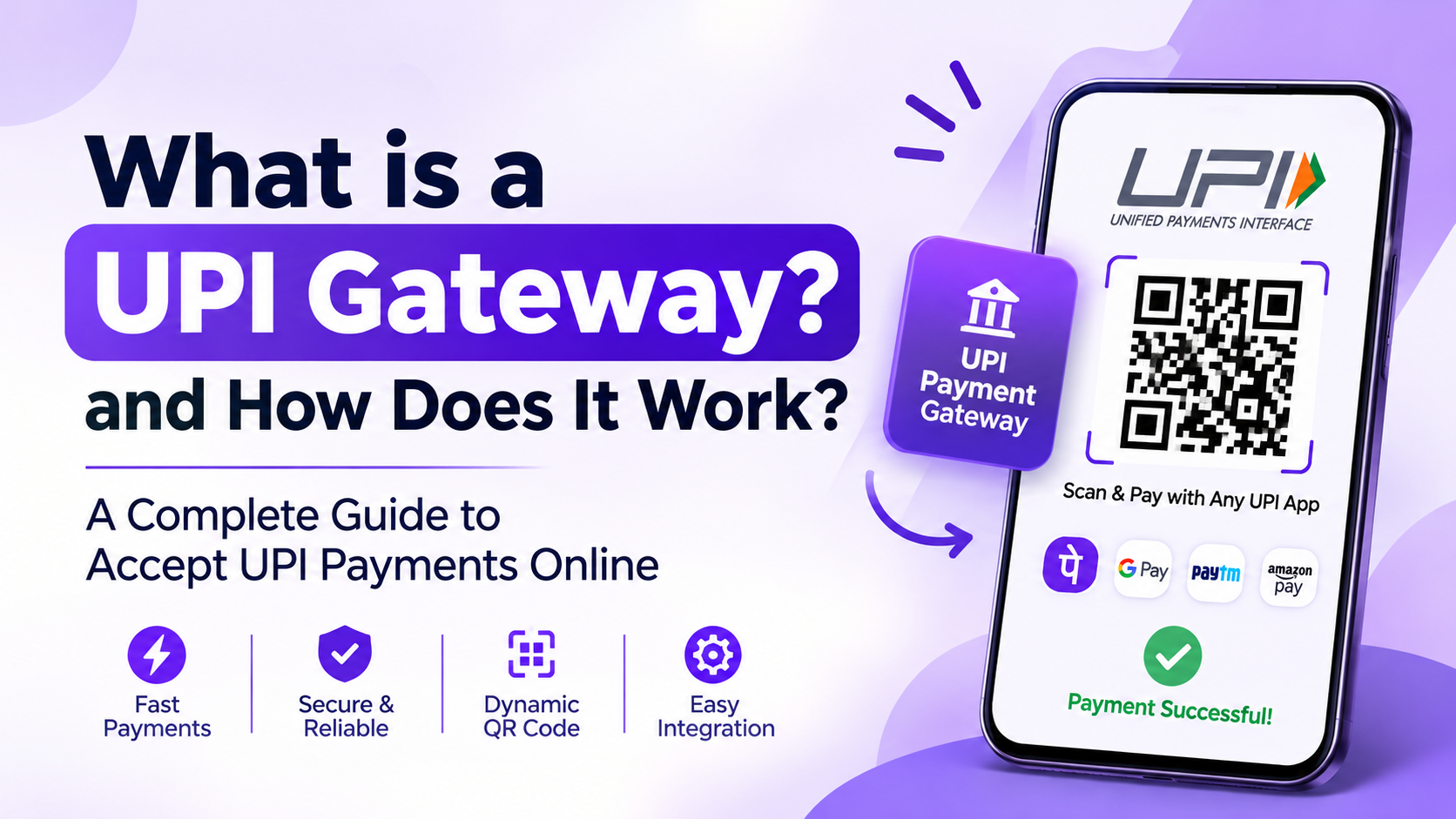
What Is a UPI Gateway? How It Works, Features, Benefits & Integration Guide
Digital payments have changed the way businesses sell products and services online. Today, customers expect convenient payment options that allow them to complete purchases quickly without complicated checkout processes. Among the available digital payment methods in India, Unified Payments Interface (UPI) has become an important part of everyday transactions.
For online businesses, accepting UPI payments is no longer just an additional feature. It is an important part of providing a convenient checkout experience.
This is where a UPI Gateway becomes useful.
A UPI Gateway helps businesses connect their websites, mobile applications and online platforms with UPI-based payment methods. Depending on the technology and integration model, businesses can use payment options such as UPI Intent, Dynamic QR Codes and payment APIs to collect payments and automate transaction verification.
But what exactly is a UPI Gateway? How does it work? What is the difference between a traditional payment gateway and a UPI-focused payment solution? And how can businesses integrate UPI payments into their existing websites or applications?
Let's understand everything step by step.
What Is a UPI Gateway?
A UPI Gateway is a payment technology that enables businesses to accept payments from customers through Unified Payments Interface (UPI).
It connects a business's website or mobile application with UPI-supported payment methods, allowing customers to complete transactions using compatible UPI applications and bank accounts.
Instead of manually sharing payment details or checking transaction screenshots, businesses can use an integrated payment system to create payment requests, generate QR codes and automate payment status verification.
Depending on the solution, a UPI Gateway may support:
-
UPI Intent payments
-
Dynamic UPI QR Code generation
-
Merchant UPI ID integration
-
Payment request management
-
Automated payment verification
-
Payment status APIs
-
Webhook notifications
-
Transaction tracking and reporting
For example, imagine you operate an online store selling electronic products.
A customer selects a product, proceeds to checkout and chooses UPI as the payment method. Your website creates a payment request and displays a QR code or opens a supported UPI application.
After the customer approves the payment, the payment system checks the transaction status and updates the corresponding order.
This helps reduce manual payment verification and makes the checkout experience more convenient.
How Does a UPI Gateway Work?
A UPI Gateway generally works by connecting the customer's payment activity with the merchant's website or application.
The exact process depends on the payment architecture, provider and supported integration methods.
Here is a simplified example of a UPI payment flow:
-
Customer Creates an Order: A customer selects a product or service and proceeds to checkout.
-
Payment Request Is Generated: The merchant's website or application creates a payment request containing the required order details.
-
UPI Payment Option Appears: The customer receives a supported payment option, such as UPI Intent or a Dynamic QR Code.
-
Customer Approves Payment: The customer opens a compatible UPI application and authorizes the transaction.
-
Payment Status Is Checked: The integrated system checks the available transaction information to identify the payment result.
-
Order Status Is Updated: After successful verification, the merchant's application updates the corresponding order.
-
Webhook Notification Is Sent: If supported, the system sends a notification to the merchant's backend about the payment status.
Understanding the UPI Payment Flow
Order Created → Payment Request → Customer Pays → Transaction Verification → Webhook Notification → Order Confirmation
This automated process helps businesses manage online payments without depending entirely on manual screenshots or customer-submitted payment confirmations.
Note: A payment request or customer-side success screen alone should not be treated as final proof of payment. Merchants should verify the transaction through an authorized and reliable payment-status mechanism.
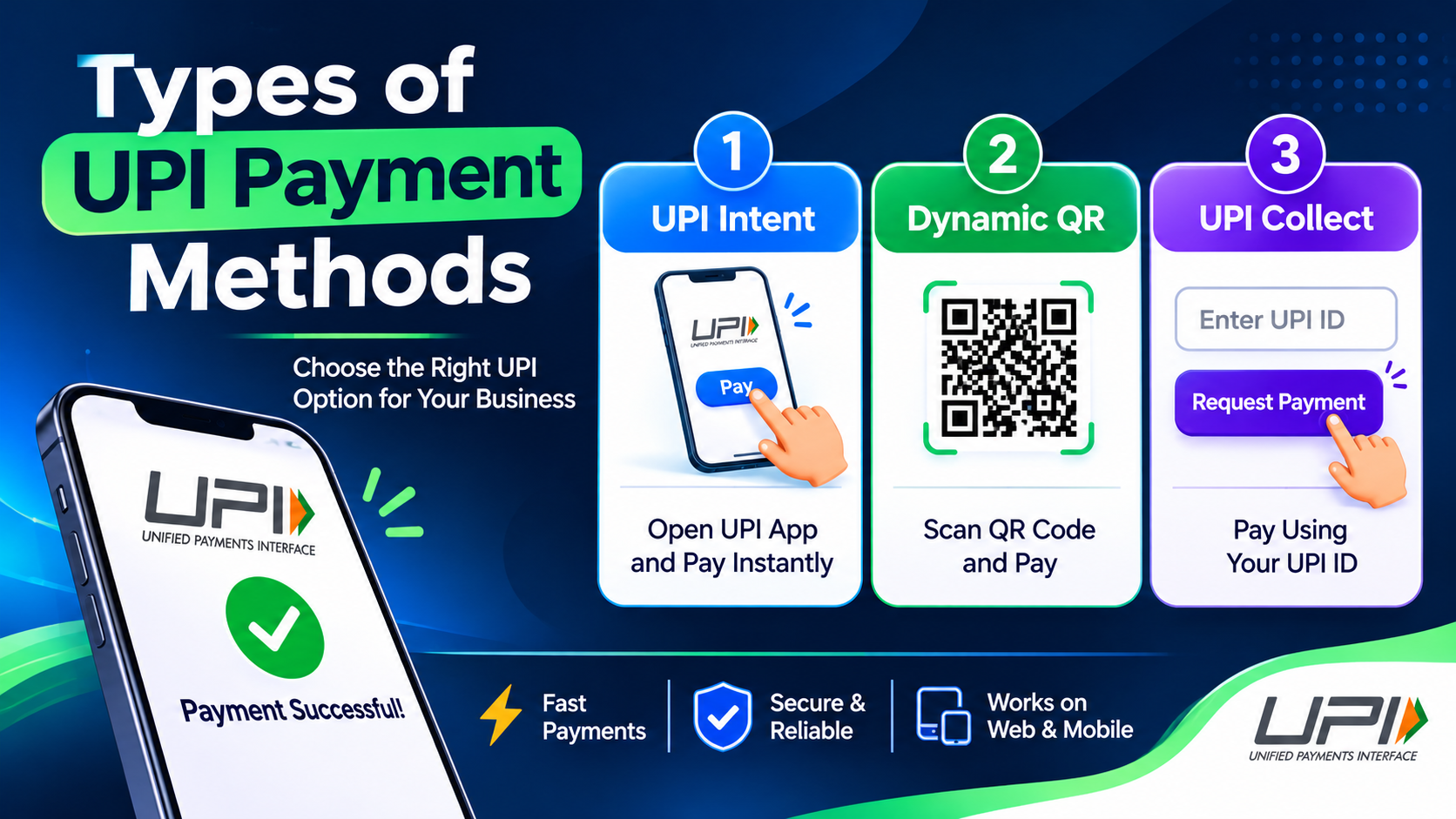
Types of UPI Payment Methods
UPI technology supports different payment experiences. Businesses can select suitable methods depending on their website, application and customer requirements.
1. UPI Intent Payment
UPI Intent allows customers to initiate a payment through a compatible UPI application.
For example, a customer shopping through a mobile application selects UPI as the payment option. The application opens a supported UPI app with the payment details.
The customer checks the information and approves the payment using their UPI PIN.
How UPI Intent Works:
-
Customer selects UPI at checkout.
-
The application creates a supported payment request.
-
A compatible UPI application opens.
-
Customer verifies the payment details.
-
Customer authorizes the transaction.
-
The merchant's application checks the payment status.
Benefits of UPI Intent:
-
Convenient mobile checkout experience.
-
Less manual entry for customers.
-
Faster access to supported UPI applications.
-
Suitable for Android applications and supported mobile web experiences.
UPI Intent is particularly useful for businesses that receive payments through mobile applications.
2. Dynamic UPI QR Code
A Dynamic UPI QR Code is generated for a particular payment request or transaction.
Unlike a static QR code that can be reused for multiple payments, a dynamic QR can contain transaction-specific details, such as the payment amount and a reference identifier, depending on the implementation.
For example, an ecommerce website generates an order worth ₹1,500. The checkout page displays a QR code associated with that payment request.
The customer scans the QR code using a compatible UPI application and completes the payment.
How Dynamic UPI QR Works:
-
Customer places an order.
-
Website generates a payment request.
-
A transaction-specific QR code is displayed.
-
Customer scans the QR code.
-
Customer approves the payment.
-
The system verifies the payment and updates the order.
Benefits of Dynamic UPI QR:
-
Order-specific payment requests.
-
Convenient desktop checkout.
-
Reduced manual payment reference entry.
-
Better transaction identification.
-
Useful for ecommerce and online service platforms.
Dynamic QR technology is especially helpful when customers make payments from a desktop or another device.
3. UPI Collect Payment
UPI Collect is a payment request method in which a merchant requests payment using a customer's UPI ID.
The customer receives a payment request through the supported payment system and approves it using their UPI application, subject to applicable UPI rules and availability.
Typical UPI Collect Flow:
-
Customer enters a UPI ID.
-
Merchant initiates a payment request.
-
Customer receives the request.
-
Customer reviews and authorizes the payment.
-
The transaction status is checked.
Collect functionality is subject to the applicable UPI network rules, bank support and provider capabilities. Businesses should not assume that every UPI Collect implementation is available for every customer or transaction.
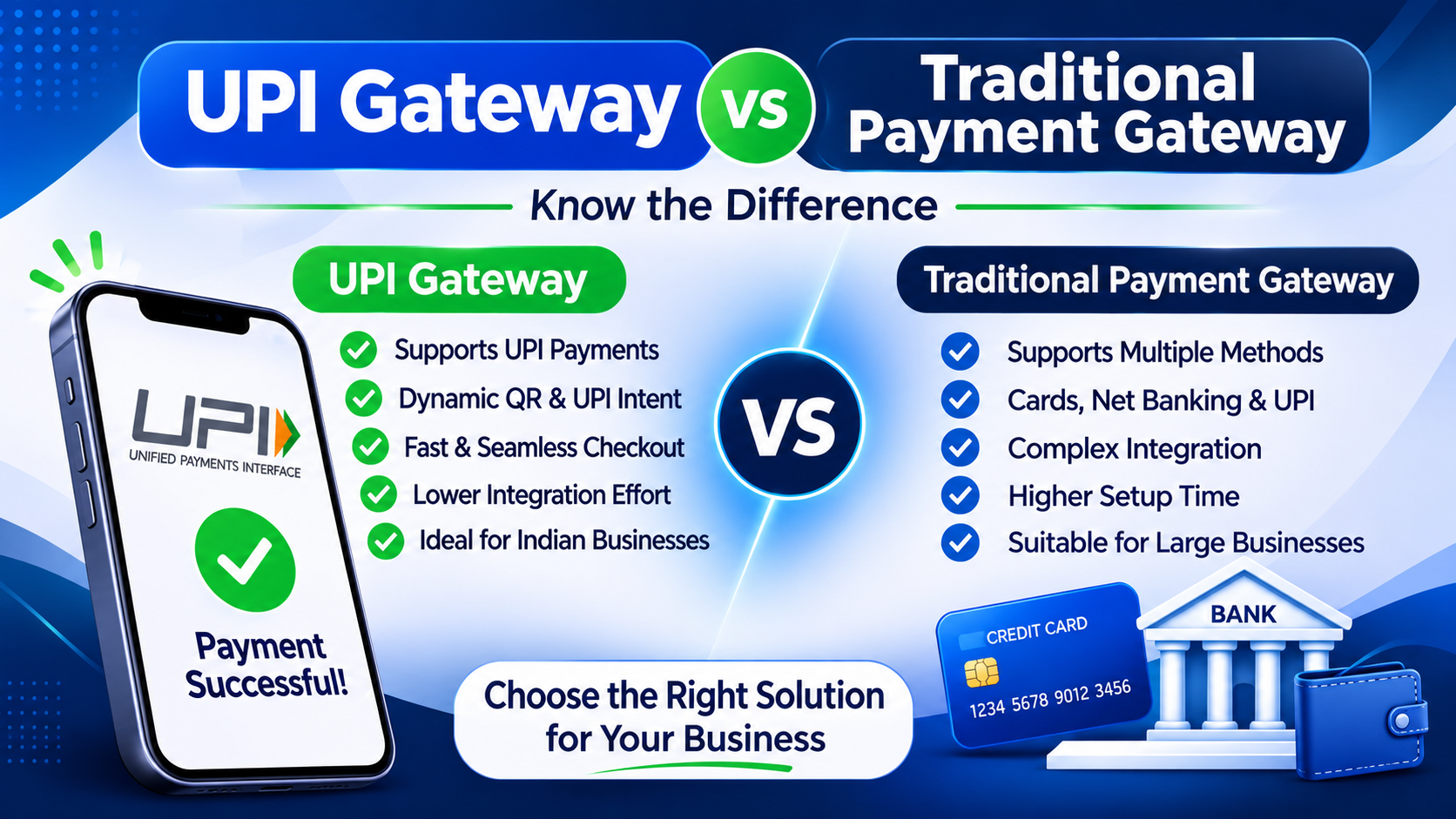
UPI Gateway vs Traditional Payment Gateway
A common question among business owners is whether a UPI Gateway and a traditional payment gateway are the same thing.
They are related, but their scope can be different.
A traditional payment gateway generally supports multiple payment methods, while a UPI-focused payment solution concentrates on UPI payment collection and related automation.
| Feature | Traditional Payment Gateway | UPI-Focused Payment Technology |
|---|---|---|
| Payment methods | Cards, UPI, net banking and other supported methods | Primarily UPI |
| Payment experience | Multiple checkout options | UPI-focused checkout |
| Dynamic QR | Depends on provider | Can be a core feature |
| UPI Intent | Depends on provider | Can be a core feature |
| APIs | Available | Available in supported solutions |
| Webhooks | Depends on provider | Available in supported solutions |
| Integration | Website and mobile applications | Website and mobile applications |
The actual features depend on the provider and its technical architecture.
Some UPI-focused technologies can also work alongside an existing merchant UPI setup. In such implementations, the business connects its eligible merchant UPI details with an automation layer instead of necessarily replacing its entire payment arrangement.
It is important to understand that payment automation software is not automatically a regulated payment gateway, payment aggregator or banking service. Its actual role depends on how it operates and the applicable regulatory requirements.
How to Accept UPI Payments Without a Traditional Payment Gateway
Many small businesses and online entrepreneurs want to accept UPI payments without implementing a complete multi-payment gateway solution.
Depending on their eligibility, merchant arrangement and technical setup, businesses may use an existing merchant UPI ID or supported business QR code with payment automation technology.
The basic process involves the following steps:
Step 1: Use an Existing Merchant UPI Setup
A business can start with its eligible merchant UPI ID or supported merchant QR arrangement.
The merchant should ensure that the account and payment setup are permitted for the intended business use.
Step 2: Connect Payment Automation Technology
The existing merchant payment setup can be connected with a compatible payment automation system.
This technology helps create payment requests and manage transaction-related information.
Step 3: Generate Payment Requests
When customers place orders, the website or application can generate corresponding UPI payment requests.
Depending on the integration, customers may receive a QR code or a supported UPI app payment option.
Step 4: Verify Payments Automatically
The system checks available payment information through the supported verification mechanism.
This helps the business identify whether a payment is successful, pending or unsuccessful.
Step 5: Update the Order
After reliable verification, the website or application can update the order status and continue the order-processing workflow.
Important: The availability of this setup depends on the merchant's bank, payment arrangement, UPI rules and the capabilities of the connected technology. Businesses must not rely on unauthorized transaction monitoring or unverified payment notifications.
Key Features of a UPI Gateway
A modern UPI payment solution can offer several features that simplify payment collection and transaction management.
Here are some important features businesses should understand.
1. Dynamic QR Code Generation
Dynamic QR generation allows businesses to create payment-specific QR codes for individual orders.
It helps customers make payments by scanning a QR code and can make transaction identification easier.
2. UPI Intent Integration
UPI Intent provides a convenient way to open compatible UPI applications from a website or mobile application.
This reduces unnecessary steps during mobile checkout.
3. Merchant UPI Integration
Some payment automation technologies allow businesses to connect an existing eligible merchant UPI ID or supported QR arrangement.
This can help businesses work with their existing payment infrastructure, subject to the relevant permissions and technical compatibility.
4. Automated Payment Verification
Automated verification reduces the need for staff members to manually review customer-submitted screenshots.
The system checks available transaction information and updates payment records based on reliable verification results.
5. Payment Status Webhooks
Webhooks help notify a merchant's backend when a payment-related event occurs.
For example, after a verified successful payment, a webhook can inform the website that an order is ready for the next processing step.
6. Payment APIs
APIs allow developers to connect payment functionality with websites, mobile applications and other business systems.
A properly designed API can help manage payment requests, transaction references and payment status information.
7. Transaction Dashboard
A transaction dashboard helps businesses review payment activities, track order references and identify pending or unsuccessful transactions.
8. Website and Mobile Application Support
A flexible payment integration can support multiple platforms, including ecommerce websites, Android applications and custom web applications.
Actual platform support depends on the available APIs, SDKs and integration methods.
UPI Gateway for Websites
Online businesses need a payment experience that works smoothly with their existing website.
A UPI Gateway can help ecommerce websites, digital service platforms and subscription businesses integrate UPI-based payment options.
For example, when a customer purchases a product:
-
The customer adds a product to the cart.
-
The website creates an order.
-
A UPI payment option appears at checkout.
-
The customer completes the payment.
-
The backend verifies the transaction.
-
The order status is updated.
Businesses can use this approach to connect payment collection with their existing order-management systems.
UPI Gateway for Ecommerce Websites
Ecommerce businesses can use UPI integration to collect payments for:
-
Electronics and accessories.
-
Clothing and fashion products.
-
Grocery and household products.
-
Digital products.
-
Online subscriptions.
A well-designed payment process can reduce unnecessary checkout steps and make payment tracking easier.
UPI Gateway for Android and iOS Applications
Mobile applications require payment methods that work naturally with the mobile environment.
UPI Intent is particularly useful for supported mobile payment flows because it allows users to open compatible UPI applications.
A typical mobile application integration includes:
-
Customer selects a product or service.
-
Application creates a payment request through its backend.
-
Customer receives a UPI payment option.
-
Supported UPI application opens.
-
Customer authorizes payment.
-
Application checks the payment result through its backend.
Developers should implement proper handling for app switching, customer cancellation, network interruptions and pending payment states.
For iOS and Android applications, the exact payment experience depends on operating-system support, application compatibility and the UPI integration method.
How Automated UPI Payment Verification Works
Payment verification is one of the most important parts of online payment automation.
Without a reliable verification process, businesses may face problems such as incorrect order confirmation, duplicate payment records and manual reconciliation.
An automated payment verification system helps connect transaction information with the correct customer order.
Understanding the Verification Process
1. Order Creation
The website creates a unique order reference when a customer starts checkout.
2. Payment Request Creation
The system generates a corresponding payment request and associates it with the order.
3. Customer Payment
The customer completes the transaction through a supported UPI application.
4. Transaction Verification
The system checks the payment status through an authorized source or supported verification mechanism.
5. Reference Matching
The transaction information is matched with the corresponding order or payment request.
6. Order Status Update
Once the transaction is reliably verified, the order can be marked as paid.
7. Webhook Notification
The merchant's backend receives a notification if webhook functionality is supported.
Why Payment Verification Matters
-
Reduces manual payment checking.
-
Helps prevent incorrect order confirmation.
-
Improves payment tracking.
-
Makes order management easier.
-
Helps identify pending transactions.
-
Supports automated business workflows.
Businesses should also implement duplicate-event protection, secure webhook validation, retry handling and transaction reconciliation.
A payment screenshot or an untrusted callback should never be the only basis for confirming an order.
UPI Payment API and Webhook Integration
For developers, APIs and webhooks are important components of payment automation.
They help websites and applications communicate with payment-related systems.
What Is a UPI Payment API?
A UPI Payment API is an interface that allows software applications to interact with a UPI payment solution.
Depending on the provider, APIs may support:
-
Creating payment requests.
-
Generating Dynamic QR Codes.
-
Retrieving payment information.
-
Checking transaction status.
-
Managing payment references.
-
Receiving payment-related events.
What Is a Payment Webhook?
A webhook is an automated notification sent from one system to another when a particular event occurs.
For example, when a payment status changes to successful after verification, a webhook can notify the merchant's backend.
The backend can then update the order, send a confirmation message or initiate another business process.
Example of a Payment Automation Architecture
Customer → Website or App → Merchant Backend → Payment Request → UPI Payment → Authorized Verification → Webhook → Order Management System
For secure implementation, developers should use HTTPS, validate webhook signatures where supported, authenticate API requests and maintain transaction logs.
UPI Gateway Integration: Step-by-Step Guide
Integrating UPI payments into a website or application requires proper planning.
Here is a general implementation process.
Step 1: Identify Your Payment Requirements
First, identify how your business wants to accept UPI payments.
For example:
-
Website checkout.
-
Android application payments.
-
Dynamic QR payments.
-
UPI Intent payments.
-
Automated payment verification.
-
API and webhook integration.
Step 2: Select a Suitable Payment Solution
Compare available solutions based on their supported payment methods, integration capabilities, documentation, transaction verification and business requirements.
Check whether the provider supports your intended merchant arrangement.
Step 3: Complete Merchant Setup
Complete the required merchant onboarding, verification and authorization procedures.
Depending on the provider and payment arrangement, business information and supporting documents may be required.
Step 4: Configure API Credentials
If your selected solution provides APIs, configure the required credentials in your backend.
Keep API keys and other sensitive credentials confidential. Never expose secret keys in frontend code or public repositories.
Step 5: Integrate the Payment Interface
Add the required payment options to your checkout page or mobile application.
This may include UPI Intent, Dynamic QR or other supported payment methods.
Step 6: Implement Payment Verification
Configure the appropriate payment-status verification mechanism.
Your backend should maintain transaction references and match verified payments with the correct orders.
Step 7: Configure Webhooks
If webhooks are available, configure a secure endpoint to receive payment-related notifications.
Implement authentication, duplicate-event handling and retry mechanisms.
Step 8: Test the Integration
Test different scenarios before launching the integration.
Include:
-
Successful payments.
-
Failed payments.
-
Pending transactions.
-
Customer cancellation.
-
Network interruptions.
-
Duplicate notifications.
-
Incorrect payment amounts.
Step 9: Launch and Monitor
After successful testing, deploy the integration and monitor transaction records.
Regularly review failed payments, pending orders and reconciliation reports.
UPI Gateway Charges: What Should Businesses Know?
UPI payment gateway charges depend on the provider, payment arrangement, merchant category and applicable rules.
There is no single pricing model that applies to every UPI payment solution.
Businesses should understand the following possible costs:
Integration Charges: Some providers may charge for initial technical setup or custom integration.
Monthly Subscription: Certain software solutions may offer monthly or annual plans.
Transaction Charges: Depending on the payment arrangement and applicable regulations, transaction-related charges may or may not apply.
Additional Services: Advanced APIs, reporting tools, custom development and technical support may have separate charges.
Before selecting a solution, review its complete pricing structure and applicable regulatory requirements.
Do not assume that every UPI transaction is free or that every provider charges the same amount.
How to Choose the Right UPI Gateway for Your Business
Choosing a suitable UPI payment solution requires more than comparing pricing.
Businesses should evaluate the following factors:
1. Supported Payment Methods
Check whether the solution supports the payment methods your customers need, such as UPI Intent and Dynamic QR.
2. API Documentation
Good documentation helps developers understand the integration process and reduces implementation difficulties.
3. Payment Verification
Check how payment status is verified and whether the system provides reliable transaction references.
4. Webhook Support
Webhook support can help automate order updates and payment-related workflows.
5. Platform Compatibility
Make sure the solution supports your website technology, mobile application or ecommerce platform.
6. Transaction Management
A useful dashboard should help you review transactions, pending payments and payment records.
7. Security
Check API authentication, data protection, webhook validation and other security controls.
8. Business and Regulatory Compatibility
Ensure the payment solution is suitable for your business category and operates within the applicable payment-system requirements.
How UPI-Gateway.in Helps Businesses Automate UPI Payments
UPI-Gateway.in focuses on connecting existing merchant UPI payment arrangements with technology that simplifies online payment collection and verification.
Instead of treating payment collection as a completely manual activity, businesses can use supported automation features to connect payment requests with their websites and applications.
The platform focuses on the following capabilities:
Merchant UPI Integration
Connect an eligible existing merchant UPI ID or supported QR arrangement with the payment automation system.
Dynamic QR Generation
Generate payment-specific QR codes to provide customers with a convenient way to complete their transactions.
Automated Payment Verification
Reduce manual payment checking by using supported transaction verification mechanisms.
Payment Status Webhooks
Connect payment-related events with your website or application's backend.
Easy API Integration
Use API-based integration to connect payment functionality with supported business applications.
Website and Mobile App Support
Build UPI payment experiences for supported websites, applications and online platforms.
Developer-Friendly Integration
Use available technical documentation and integration resources to implement payment automation.
The goal is to help businesses manage UPI payment collection through their existing eligible merchant setup with a more organized and automated process.
Explore UPI payment automation: https://upi-gateway.in/
Frequently Asked Questions About UPI Gateway
1. What is a UPI Gateway?
A UPI Gateway is a payment technology that helps businesses accept UPI payments through their websites or mobile applications. It can support payment requests, UPI Intent, Dynamic QR Codes and transaction verification.
2. How does a UPI Gateway work?
A UPI Gateway connects a business's checkout system with supported UPI payment methods. Customers initiate and authorize payments through their UPI applications, while the merchant's system verifies the transaction and updates the corresponding order.
3. Is a UPI Gateway different from a payment gateway?
A traditional payment gateway may support several payment methods, including cards, net banking and UPI. A UPI-focused payment solution concentrates on UPI payment collection and related automation.
4. Can I accept UPI payments on my website?
Yes. Businesses can integrate supported UPI payment options into their websites using suitable payment APIs, payment links, QR codes or compatible integrations.
5. What is a Dynamic UPI QR Code?
A Dynamic UPI QR Code is generated for a particular payment request. It can contain transaction-specific information, making it easier to associate customer payments with individual orders.
6. What is UPI Intent?
UPI Intent is a payment flow that allows a website or mobile application to open a compatible UPI application with the payment details. The customer reviews and authorizes the transaction in that application.
7. Can I use my existing Merchant UPI ID?
Some payment automation solutions support integration with an eligible existing merchant UPI ID or QR arrangement. Availability depends on the merchant's bank, payment setup, permissions and technical compatibility.
8. Can UPI payments be verified automatically?
Yes, automated verification is possible when a solution has access to an authorized and reliable payment-status mechanism. Verified payment information can be matched with orders and used to update their status.
9. What are UPI Payment APIs?
UPI Payment APIs are software interfaces that allow websites and applications to communicate with payment systems. They can support payment request creation, QR generation and transaction-status operations.
10. What are payment webhooks?
Payment webhooks are automated notifications sent to a merchant's backend when payment-related events occur. They help businesses automate order updates and other workflows.
11. Can I integrate UPI payments into an Android application?
Yes. Supported UPI Intent and other integration methods can be used to provide UPI payment experiences in Android applications.
12. Is a UPI Gateway suitable for small businesses?
UPI payment technology can be useful for small businesses, ecommerce stores, online service providers and digital platforms that want to manage UPI payments more efficiently.
13. Are UPI payment gateway services free?
Pricing varies by provider and payment arrangement. Some solutions may charge subscription, integration or service fees. Businesses should check the applicable pricing and transaction rules before integration.
14. What is the difference between UPI Intent and Dynamic QR?
UPI Intent allows customers to open a compatible UPI application directly from a supported payment flow. Dynamic QR allows customers to scan a payment-specific QR code using their UPI application.
15. Can I use a UPI Gateway for Shopify or WooCommerce?
Integration depends on the platform, available plugins, APIs and provider support. Businesses should check compatibility and available integration documentation before implementation.
Conclusion
UPI has become an important payment method for online businesses in India. As more customers use UPI for everyday transactions, businesses need convenient ways to accept payments and manage transaction information.
A UPI Gateway can help connect websites and mobile applications with UPI payment methods such as UPI Intent and Dynamic QR Codes.
When combined with payment APIs, automated verification and webhook notifications, this technology can simplify payment-related workflows and reduce manual work.
For businesses that already have an eligible merchant UPI setup, payment automation technology can provide another way to connect existing payment arrangements with their online platforms.
The right solution depends on your business requirements, technical infrastructure, payment arrangement and applicable regulations.
To learn more about UPI payment integration, Dynamic QR generation and automated payment verification, visit UPI-Gateway.in.
Ready to connect UPI to your checkout?
JaduPe provides current service, eligibility and plan details. Review them before you begin.
Explore JaduPe ↗Related articles.
Free UPI Gateway: How Businesses Can Accept UPI Payments at Low Cost
Looking for a free UPI Gateway to accept online payments without expensive transaction charges? Discover how businesses can use Dynamic UPI QR Codes, UPI Intent, Merchant UPI IDs and payment APIs to simplify UPI payment collection and automate payment verification at a lower cost.
Read article →
UPI Gateway: Complete Guide for Businesses in 2026
Learn what a UPI Gateway is, how it works, and explore Dynamic QR, UPI Intent, payment APIs, automated verification and integration for online businesses.
Read article →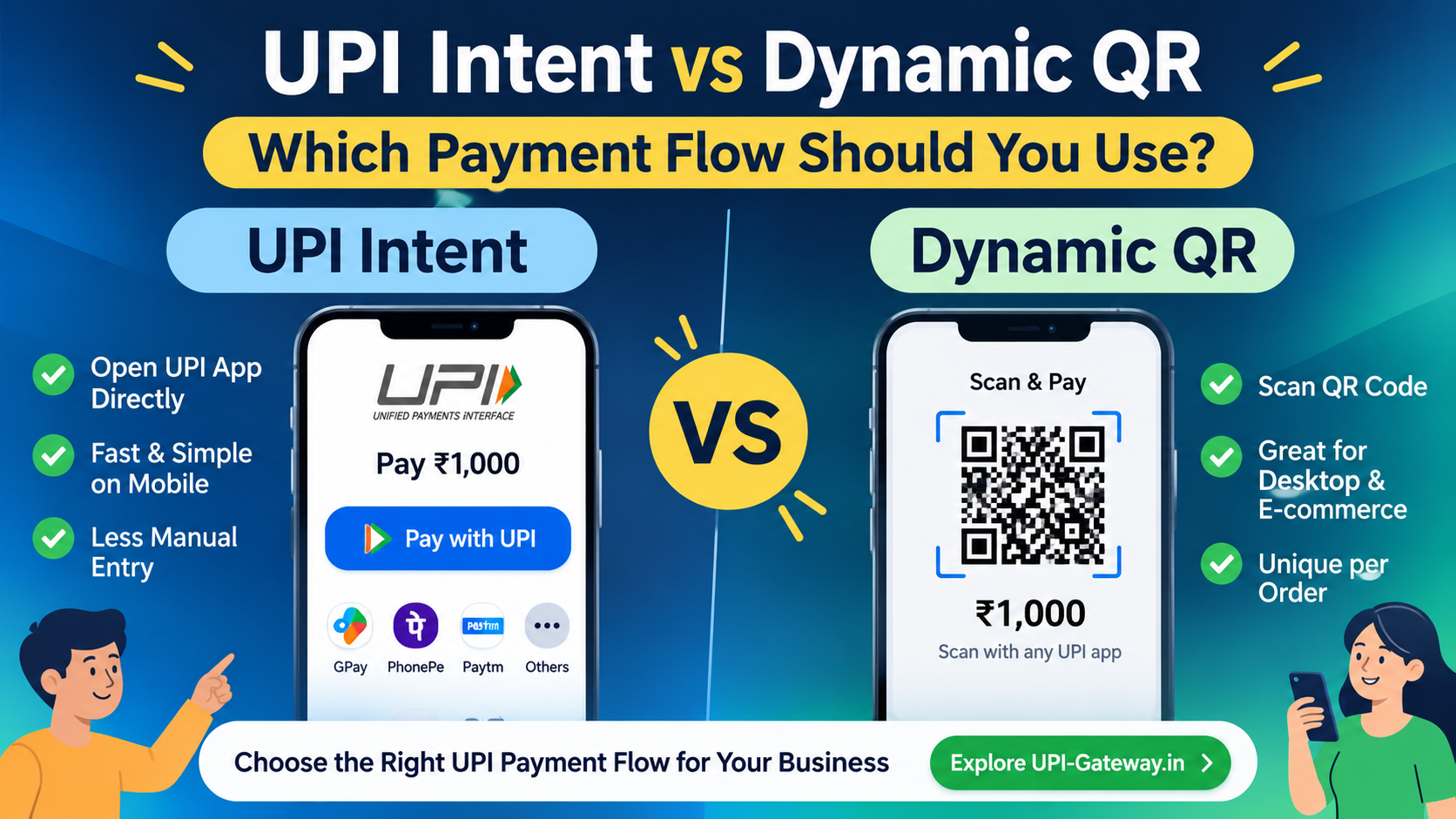
UPI Intent vs Dynamic QR – Choose the Right Payment Flow
Should your business use UPI Intent or Dynamic QR? Understand the differences, benefits and payment integration options for online businesses.
Read article →