
▦
FOR DESKTOP & WEBScan a UPI QR
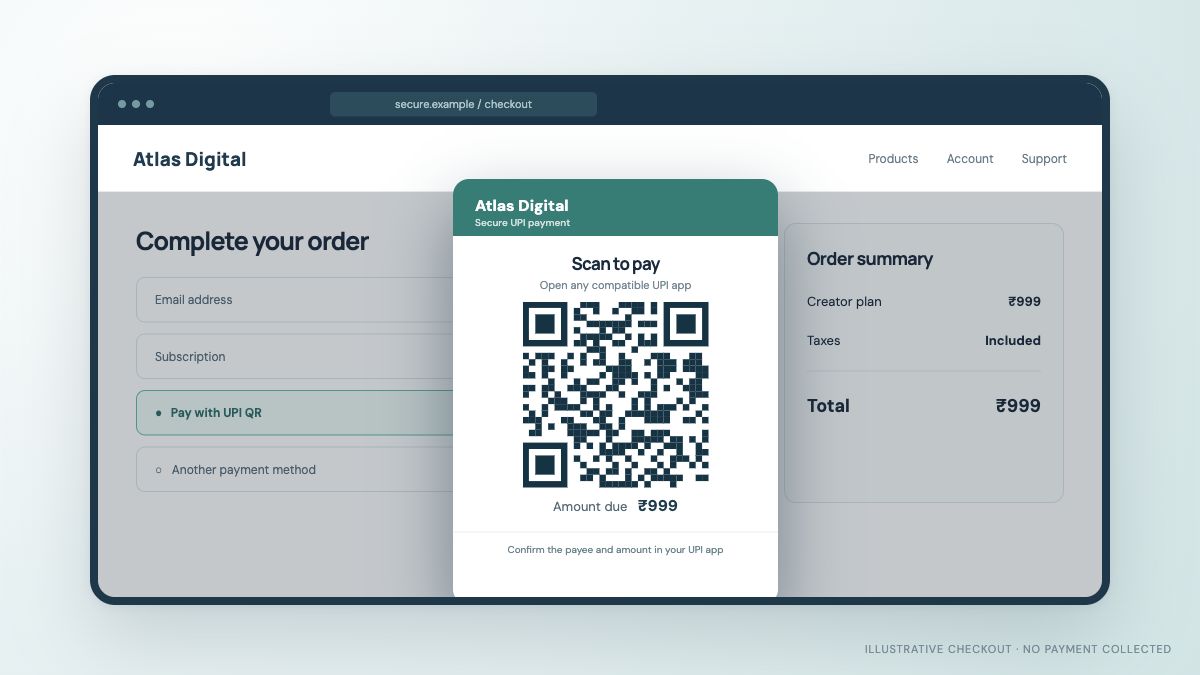
Show a QR at checkout. The buyer scans from a phone, checks the payee and amount, and approves in their UPI app.
- Easy to understand on a large screen
- Merchant and amount in context
- Order status checked after payment
Give customers a clear UPI QR on desktop or a smooth UPI app handoff on mobile. See how a UPI Payment Gateway fits the checkout you already run.
Digital access · One time payment
Review the total and choose UPI at checkout.
Check the merchant and amount before paying.
 For desktop checkout, scan from your phone
On mobile, an intent link can open a compatible UPI app.
The business checks the provider's payment status before fulfilling the order.
Your customer taps Pay. What happens next should feel simple to them and clear to your business. A good UPI Gateway experience connects the payment screen, the UPI app and the order result.
Why the full flow matters →A QR Payment Gateway works naturally on desktop. UPI intent can take mobile customers into a compatible UPI app.
Show a QR at checkout. The buyer scans from a phone, checks the payee and amount, and approves in their UPI app.
An intent handoff helps a buyer already on a phone continue in a compatible UPI app, then return to a clear order status.
Customers can pay using compatible apps such as Google Pay, PhonePe and Paytm. Availability depends on the device and checkout integration.


Built around online products where a payment has to connect back to an order, account or digital delivery.
Add a UPI payment choice to your existing checkout or purchase page.
From order to verified payment →Let customers pay a cart total with QR on desktop or app handoff on mobile.
Clear amount and order matching →Guide users from an in-app purchase to a supported UPI app and back.
A handoff that stays understandable →Credit access or balances only after the payment result is confirmed.
Confidence before fulfilment →A payment screen can look finished while the transaction is still pending. For a website, app or game, the important part is the connection between the customer's UPI approval and your order system.
Illustrative merchant view. Actual status tools depend on the provider and integration.
Some services offer a limited free starting plan. Review its validity, transaction allowance and features before you build around it. JaduPe provides the current plans and onboarding for the service linked from this site.
Talk about your use case →Start with the essentials, then check the provider's live integration and plan details.
A UPI Gateway is the checkout technology that helps a website or app present UPI payment options such as QR or intent and connect the payment result to an order. Exact features depend on the provider.
A free UPI Gateway offer may be a time-limited trial or a tier with usage limits. Check the current plan's validity, transaction allowance and charges before signing up.
Yes. A website can show a UPI QR at checkout, subject to the provider's integration and your merchant eligibility. It should verify the payment status before marking an order paid.
Many mobile checkouts use UPI intent to open a compatible app. Apps and games still need a reliable return and status check before granting access or crediting a balance.
A QR is typically scanned from another device. Intent opens a compatible UPI app on the customer's current mobile device. Availability varies by provider, device and installed apps.
UPI Gateway is an information site for online businesses. JaduPe provides the linked service, merchant onboarding and current commercial terms.
Understand how a UPI checkout works on websites and apps, where QR and intent fit, and why payment verification matters after the customer approves.
Read article →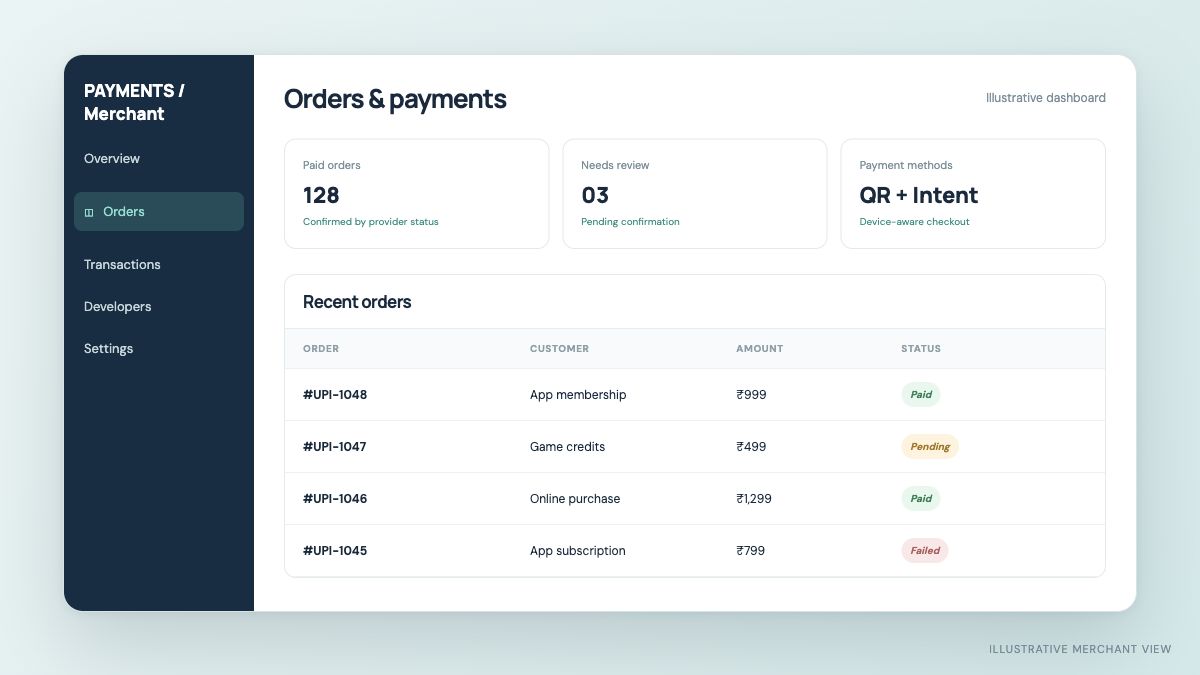
A detailed checklist for comparing QR checkout, mobile UPI intent, merchant compatibility, order verification, support and “free” plan terms.
Read article →See JaduPe's current service, eligibility and plans before making a decision.